Appearance
Legend Panel
Overview
The Legend Panel is a dynamic cartographic interpretation system that provides comprehensive visual guidance for understanding map symbols, colors, patterns, and classification schemes. This intelligent tool automatically synchronizes with visible layer configurations to deliver real-time symbol explanations, feature type identification, and classification breakdowns, ensuring accurate map interpretation and professional cartographic standards for effective spatial analysis and communication.
Accessing the Panel
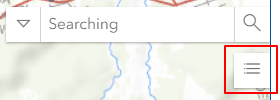
- Find Legend Panel icon below Search bar
- Click to toggle panel visibility
Panel Functions
Display Elements
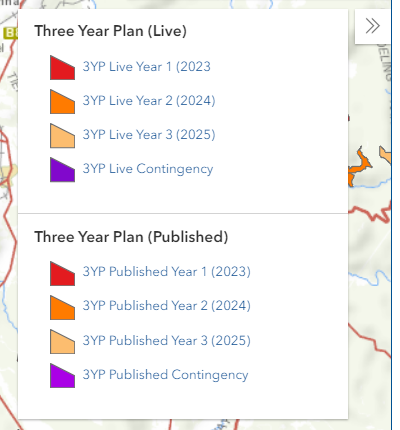
The Legend Panel shows:
- Icons for visible layers
- Color code meanings
- Feature type labels
Dynamic Updates
- Automatic refresh with layer changes
- Visibility-based display
- Real-time symbol updates
Layer Information
- Individual layer sections
- Symbol explanations
- Category breakdowns
Best Practices
General Usage
- Keep panel open when exploring new data
- Cross-reference with Layers Panel
- Verify symbol updates after changes
Map Export
- Include legend in exports
- Verify legend completeness
- Check symbol clarity
Data Validation
- Use legend to verify symbolization
- Check for classification accuracy
- Confirm category representations
Troubleshooting
| Issue | Solution |
|---|---|
| Legend missing for layer | Check layer visibility |
| Incorrect symbols | Toggle layer off/on |
| Legend not updating | Refresh map view |
| Symbols don't match | Verify layer styling |
Video Tutorial
Watch this guide on using the Legend Panel: