Appearance
Viewshed Point Editor Tool
Table of Contents
Overview
The Viewshed Point Editor Tool is a specialized visibility analysis preparation system designed for creating and managing observation points for comprehensive viewshed analysis in MapComposer. This advanced tool integrates sophisticated point generation algorithms with manual placement capabilities, providing both automated random point distribution and precision manual point creation for professional visibility studies and terrain analysis workflows.
Interface Access
Tool Launch
- Find Viewshed Points Editor icon
- Open editor panel

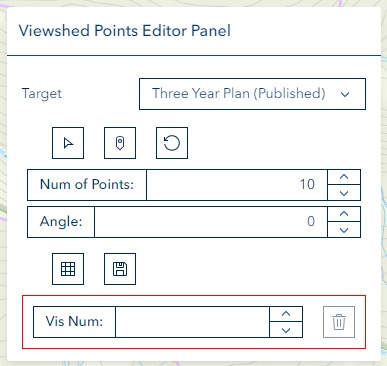
Point Creation
Random Generation
Select polygon layer
Choose target geometry
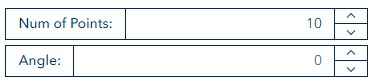
Configure settings:
- Point quantity
- Angle specification
- Maximum points (15 or 10)
Generate points

Manual Addition
Activate draw point mode

Click map for point placement
Area Selection
- Click 'Select' button
- Choose target layer
- Toggle selection mode as needed
Point Management
Saving Points
Click save button

Point Deletion
Enter visibility number

Click Delete button
Troubleshooting
| Issue | Solution |
|---|---|
| Generation fails | Check polygon selection |
| Points not appearing | Verify drawing mode |
| Save errors | Check database connection |