Appearance
Upload Tool
Table of Contents
Overview
The Upload Tool is a versatile data import utility that seamlessly integrates external spatial data into your Horizon maps. Located in the right panel, this powerful tool supports multiple geospatial formats and automatically processes, validates, and integrates uploaded data into your current map view with intelligent coordinate system handling and automatic area calculations.
Supported Files
File Types
- KML (Keyhole Markup Language)
- GPX (GPS Exchange Format)
- SHAPE (Esri Shapefile)
- CSV (Comma-Separated Values)
Format Requirements
- SHAPE files: EPSG:28355 projection required
- CSV files: Must include latitude/longitude in WGS84
Using the Tool
Accessing Upload Panel
- Locate upload icon in right panel
- Click to open Upload panel

File Selection
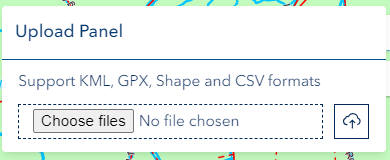
- Click 'Choose files'
- Select file from local system
Upload Process
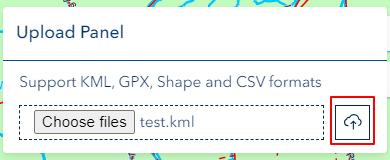
- Automatic upload initiation
- Map zooms to uploaded data
- Layer available for interaction
Area Calculation
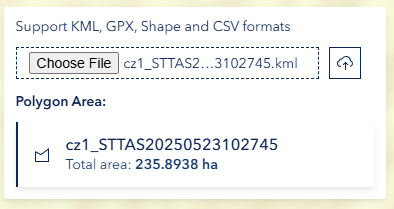
- Automatically calculated in ha for polygons
Technical Notes
CSV Requirements
- Single sheet only
- Geographic coordinates required
- Not available for printing
Shapefile Specifications
- EPSG:28355 projection mandatory
- All components required
- Standard attributes supported
Troubleshooting
| Issue | Solution |
|---|---|
| Upload fails | Check file format and size |
| Shapefile issues | Verify projection system |
| CSV not displaying | Confirm coordinate format |
| Layer invisible | Check visibility settings |
Video Tutorial
Watch this guide on using the Upload Tool: