Appearance
Bookmark Tool
Table of Contents
Overview
The Bookmark Tool is a powerful spatial view management system that enables users to save, organize, and share complete map configurations for consistent navigation and collaboration. This intelligent tool captures comprehensive map states including layer visibility, spatial extents, and basemap settings, allowing teams to maintain synchronized map views and quickly return to important geographic areas across different work sessions.
Creating Bookmarks
Initial Setup
- Click the bookmark button in the left panel
- Select 'Add a new bookmark'

Configuration Steps
- Enter a unique, descriptive name
- Verify layer visibility
- Confirm spatial extent
- Click 'save' to store
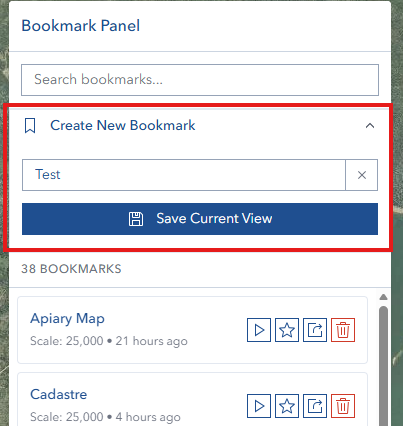
Managing Bookmarks
Deletion Process
- Access via trash icon
- Confirm permanent removal
- Supports batch deletion
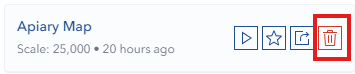
Sharing Options
- Generate shareable URL
- Copy link to clipboard
- Control access settings
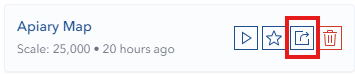
Search Functions
- Use quick filter functionality
- View real-time results
- Apply multiple search criteria
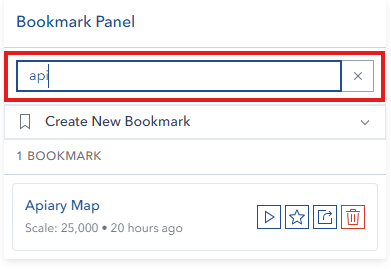
Default Views
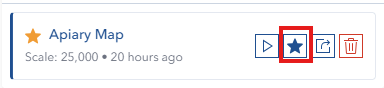
- Set via star icon
- Limited to one favorite
- Configure automatic loading
Technical Details
Layer Support
- Feature layers: Full support
- WMS layers: Full support
- Other layer types: Limited support
Data Persistence
- Browser-based storage
- Server-side backup
- Cross-session maintenance
URL Parameters
- Encoded state parameters
- Security tokens
- Version compatibility
Troubleshooting
| Issue | Solution | Prevention |
|---|---|---|
| Creation failure | Verify unique name and permissions | Use structured naming convention |
| Sharing issues | Check recipient access rights | Pre-verify layer accessibility |
| Default view problems | Confirm favorite bookmark exists | Regular bookmark verification |
| Loading errors | Clear browser cache and reload | Regular cache maintenance |
Video Tutorial
Watch this comprehensive guide on using the Bookmark Tool: